

How to Buy Your First Cryptocurrency on Binance in 2026
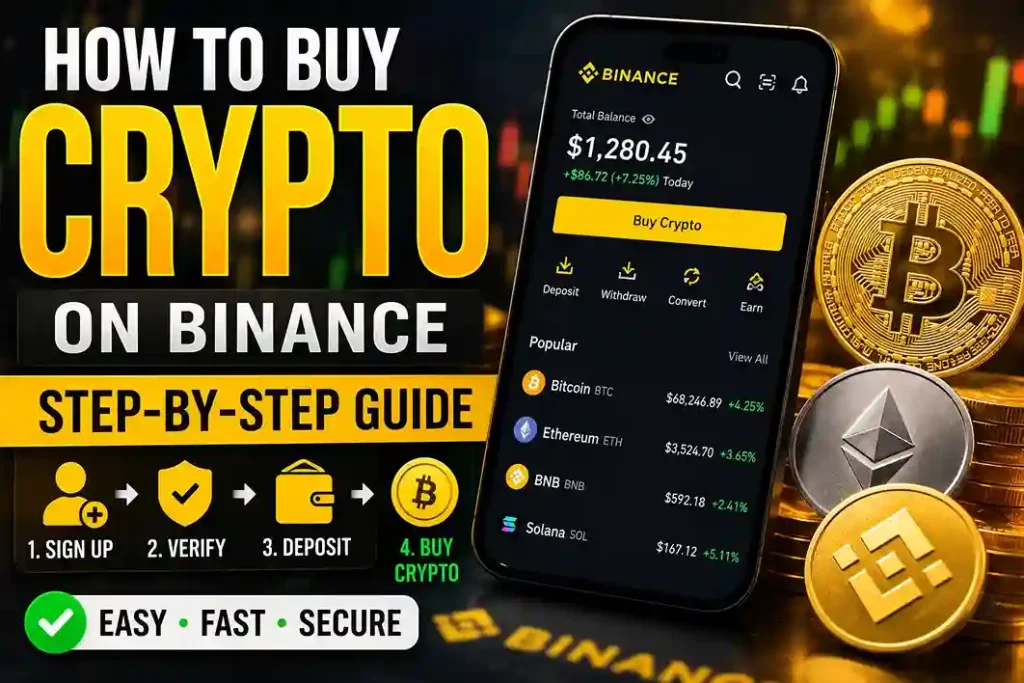
Buying cryptocurrency for the first time feels more complicated than it actually is. Most people spend hours reading conflicting guides, second-guessing every step, and worrying about making a costly mistake. The reality is that buying crypto on Binance follows a clear sequence of steps, and once you understand the logic behind each one, the whole process takes less than 30 minutes from start to finish.
This guide walks you through every step in plain language, from creating your account to completing your first purchase, with no unnecessary detours.
What You Need Before You Start
Before you open the Binance app, it helps to have a few things ready. Preparing in advance prevents interruptions mid-process and makes the whole experience faster.
The first thing you need is a valid email address. This becomes the primary identifier for your Binance account, so use one you check regularly and plan to keep long-term. Avoid using a shared or work email address.
The second thing you need is a government-issued ID. Binance requires all users to complete identity verification, known as KYC, before they can buy or trade cryptocurrency. Accepted documents include a national ID card, a driver’s license, or a passport. Have the physical document nearby because you will need to photograph it during the verification process.
The third thing you need is a payment method. Binance accepts credit cards, debit cards, and bank transfers for fiat currency purchases. Credit and debit cards are the fastest option because the transaction processes instantly. Bank transfers take longer but often carry lower fees. Decide in advance which method you plan to use.
Finally, make sure you are in a well-lit space when you complete identity verification. The app uses a camera to scan your ID and verify your face. Poor lighting is one of the most common reasons verification fails on the first attempt.
Setting Up Your Binance Account the Right Way
The account setup process has four stages: registration, email verification, identity verification, and security setup. Each stage builds on the previous one, and skipping any of them limits what you can do on the platform.
Registration
Go to the Binance website or download the Binance app from the App Store or Google Play. On the registration page, enter your email address and create a strong password. Your password must be at least eight characters long and include at least one uppercase letter, one lowercase letter, one number, and one special character.
One detail worth paying attention to at this stage is the referral code field. If you have a referral code from an official partner link, enter it here. A referral code gives you a permanent 20% discount on trading fees, and it can only be applied during registration. Once your account is created, the field is locked and cannot be changed. Signing up through a referral link fills this in automatically, which removes any risk of missing it.
After entering your details, Binance sends a six-digit verification code to your email. Enter the code to confirm your address and complete the basic registration.
Identity Verification
Once your account is created, go to your profile and select the identity verification option. Choose your country of residence and enter your personal details exactly as they appear on your ID document. Any mismatch between what you enter and what appears on your ID will cause the verification to fail.
Next, photograph the front and back of your ID. Hold the document flat, ensure the text is fully visible, and avoid shadows or glare on the surface. After the ID scan, the app performs a liveness check. This involves following on-screen prompts such as slowly turning your head or blinking. Remove glasses, hats, or masks before this step, as they reduce the accuracy of the facial recognition system.
Verification typically completes within a few minutes, though it can occasionally take a few hours during high-traffic periods. You will receive a notification when your account is approved.
Security Setup
Before you deposit any funds, set up two-factor authentication. Go to your profile, select security settings, and enable Google Authenticator. Download the Google Authenticator app on your phone, scan the QR code displayed in Binance, and save the backup key in a secure location. This key is the only way to recover access to your 2FA if you lose your phone.
Two-factor authentication means that even if someone obtains your password, they cannot access your account without the rotating code from your authenticator app. This step takes five minutes and significantly reduces the risk of unauthorized access.
If you have not yet started this process, completing 바이낸스 가입 through an official partner link sets up your account with the referral discount already applied and takes you directly into the verified account setup flow.
How to Choose Which Cryptocurrency to Buy
New buyers often feel pressure to pick the right coin. The most important thing to understand is that there is no universally correct answer. The right choice depends on your goals, your risk tolerance, and how long you plan to hold the asset.
For most first-time buyers, Bitcoin (BTC) and Ethereum (ETH) are the most straightforward starting points. Bitcoin is the largest cryptocurrency by market capitalization and has the longest track record. Ethereum is the second largest and powers a significant portion of the decentralized application ecosystem. Both assets have deep liquidity on Binance, meaning you can buy or sell them at any time without difficulty.
If you are interested in earning passive income on your purchase without trading, stablecoins like USDT or USDC are worth considering. These coins maintain a fixed value of approximately one US dollar each and can be deposited into Binance Earn products to generate interest. They carry no price volatility, which makes them a lower-risk entry point for people who are not yet comfortable with price fluctuations.
Avoid buying a coin simply because it has increased in price recently or because someone recommended it in a social media post. Price history does not guarantee future performance, and social media recommendations are frequently unreliable. Research the project, understand what it does, and only buy what you are comfortable holding through periods of price decline.
How to Complete Your First Purchase
Once your account is verified and your security is set up, buying cryptocurrency on Binance takes only a few taps.
Buying with a Credit or Debit Card
Open the Binance app and tap the “Buy Crypto” button on the home screen. Select the fiat currency you are paying with, for example KRW, USD, or EUR. Then select the cryptocurrency you want to receive. Enter the amount you want to spend or the amount of crypto you want to receive. The app calculates the other value automatically based on the current exchange rate.
Tap “Buy” and review the order summary. The summary shows the exact amount of crypto you will receive, the exchange rate, and the total fees. If everything looks correct, add your card details and confirm the payment. The crypto arrives in your Binance spot wallet within seconds.
Buying with a Bank Transfer
Bank transfers take longer but are often cheaper than card payments. On the “Buy Crypto” screen, select “Bank Transfer” as your payment method. Binance provides the bank account details and a reference number. Transfer the funds from your bank account using those details. Processing times vary by region and bank, but most transfers complete within one to three business days. Once Binance receives the funds, the crypto is credited to your account at the rate confirmed at the time of purchase.
Using the Convert Feature
If you already have one cryptocurrency and want to exchange it for another, the Convert feature is the simplest tool. Go to “Trade” and select “Convert.” Choose the coin you want to exchange in the top field and the coin you want to receive in the bottom field. Enter the amount and tap “Preview Conversion.” Review the rate and confirm. The exchange completes instantly with no order book involved.
What to Do After You Buy
After your first purchase, your crypto sits in your Binance spot wallet. From here, you have several options.
If you plan to hold the asset long-term, consider moving it to a personal hardware wallet for maximum security. A hardware wallet stores your private keys offline, which means it is not accessible via the internet. This is the safest storage option for large holdings.
If you want to earn returns on your crypto while holding it, deposit it into a Binance Earn product. Flexible savings products allow you to withdraw at any time while earning daily interest. Locked savings products offer higher rates in exchange for committing your funds for a set period.
If you want to trade your crypto for another asset, use the Spot trading interface or the Convert tool. Both are accessible from the “Trade” tab in the app.
One final point: keep a record of your purchase. Note the date, the amount you spent, the amount of crypto you received, and the price at the time of purchase. This information is useful for tracking your investment performance and may be required for tax reporting depending on your country of residence.
Buying your first cryptocurrency on Binance is a straightforward process once you know the steps. The account setup takes the most time, but it only needs to happen once. After that, every subsequent purchase takes a few minutes. The most important thing is to start with an amount you are comfortable with, understand what you are buying, and keep your account security settings up to date.


